
The market, in your terminal.
alphai-tui is a free dashboard that runs where you already work. Live quotes and candlestick charts sit next to the AlphAI news feed, with the same 1 to 10 relevance scores and per-ticker sentiment the API serves. Beside them are the company's own filings: insider trades labelled by why the insider sold, corporate events from 8-Ks, earnings reads and the report calendar. Prices need no key at all; a free AlphAI key unlocks the rest. Built in Rust, MIT licensed.
Rust · MIT · macOS, Linux, Windows
Install
30 seconds to first quotebrew install makeev/tap/alphai-tui
alphai-tui AAPL MSFT NVDA BTC-USDThe first launch opens the settings screen: pick a price source and paste your AlphAI key, or leave it empty if you only want quotes and charts. The watchlist and options persist in a config file, so next time a bare alphai-tui is enough. Prebuilt binaries with checksums for every platform live on the releases page.
What's on screen
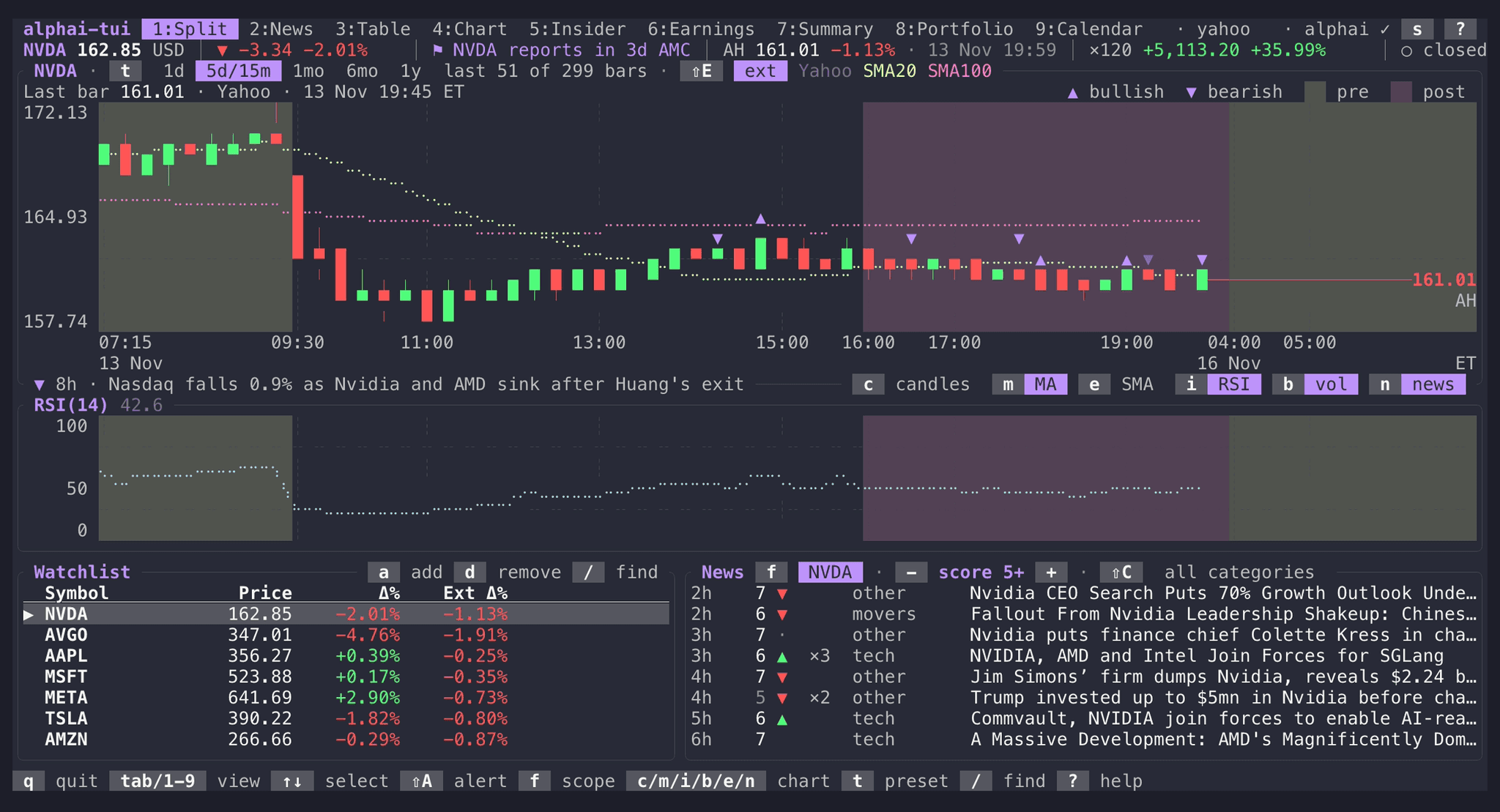
Nine views · one keystroke apartKeys 1 to 9 switch between Split, News, Table, Chart, Insider, Earnings, Summary, Portfolio and Calendar. Most of them follow the ticker you select; Summary, Portfolio and Calendar cover the whole list. The pills above each screenshot are the ones the app draws in its own panel titles. Click them to see what the key does.
The story and the move it came with
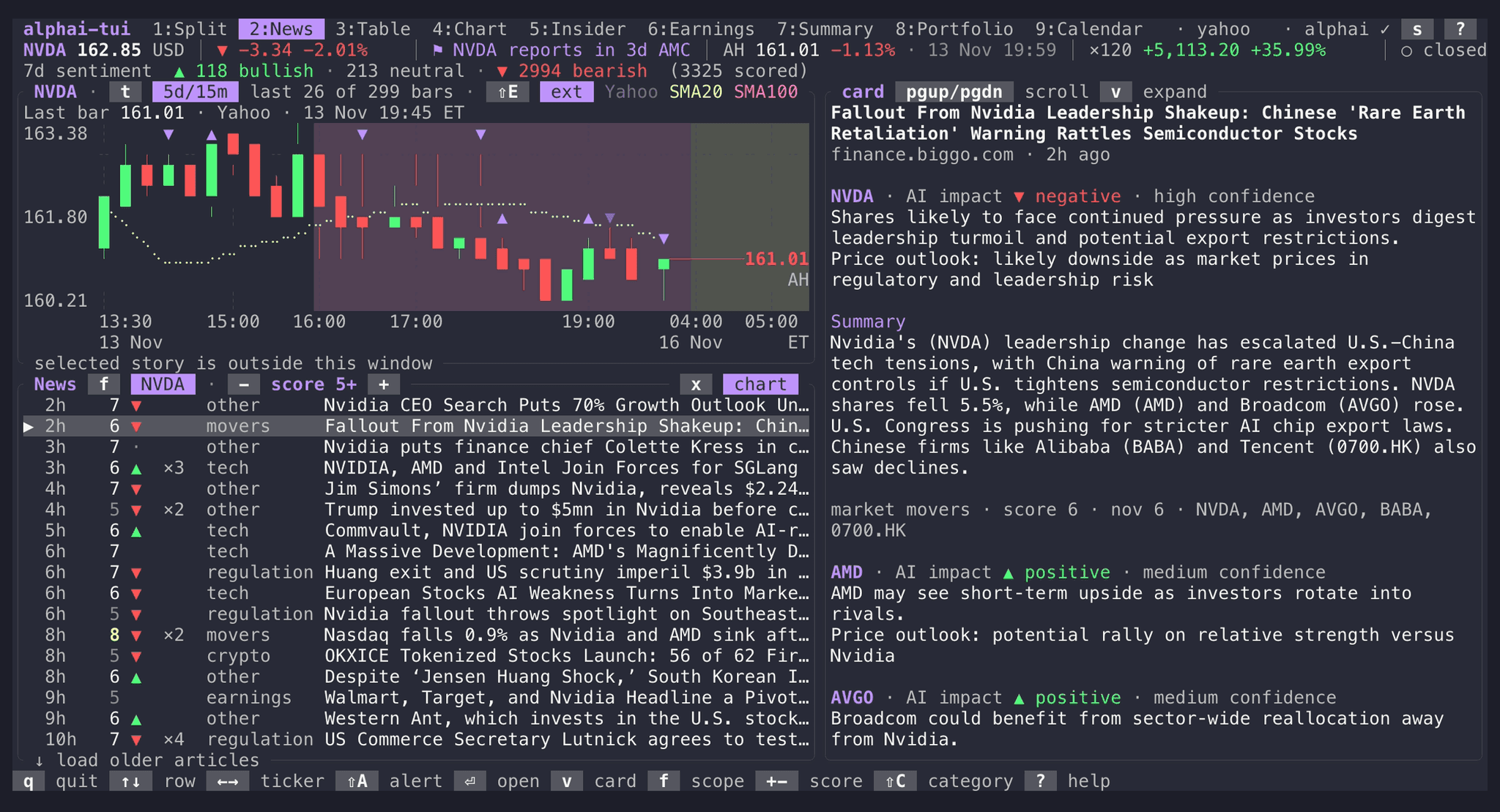
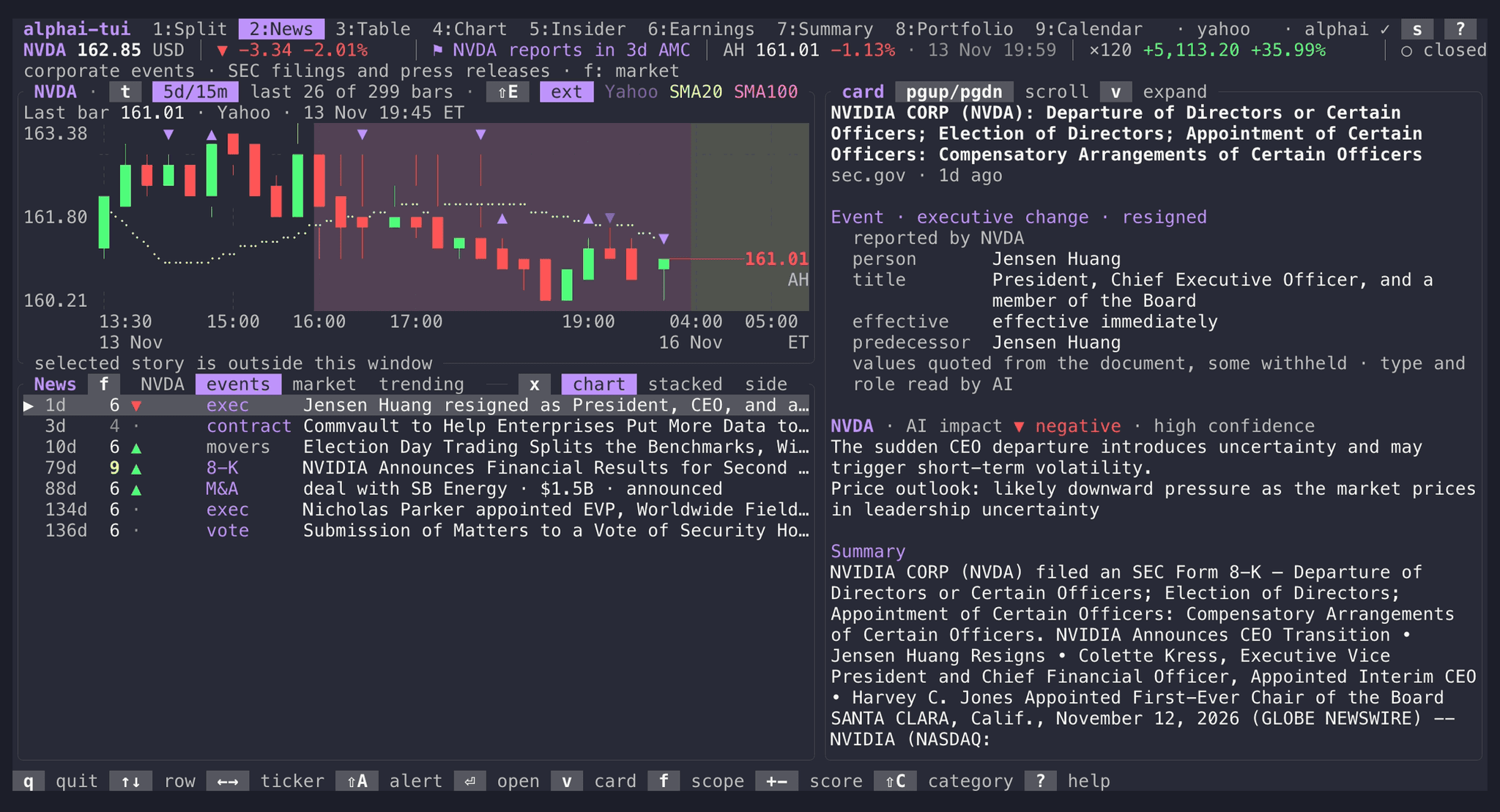
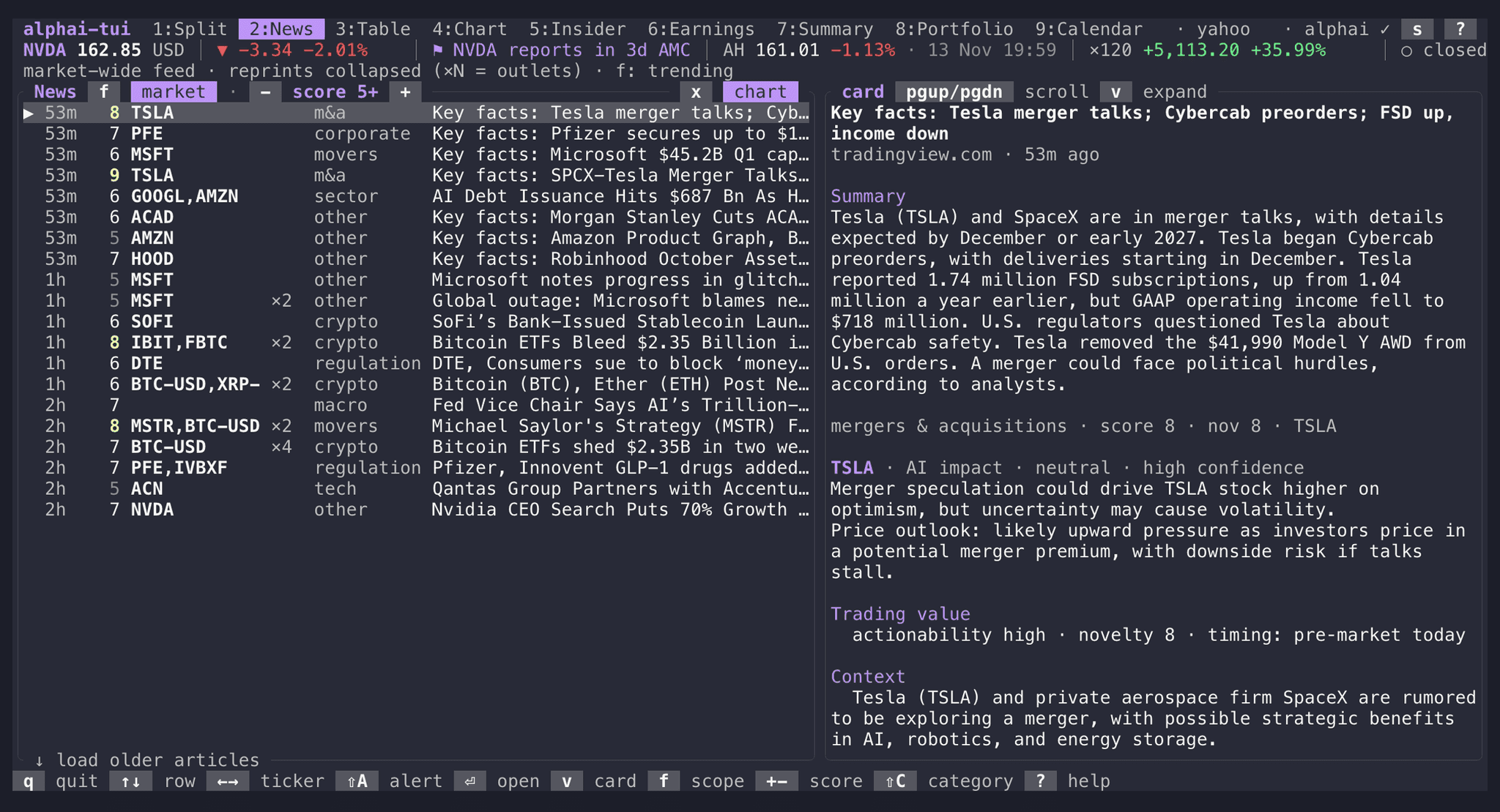
Every article carries a per-ticker analysis: the expected price impact and how confident it is, relevance and novelty scores, the background and a contrarian view. The ticker's chart sits over the list, and the story under the cursor is the highlighted mark on it.
f cycles the scope. Events is the company's own ledger from its 8-K filings and press releases (offerings, debt, deals, executive changes, dividends, buybacks, guidance), with the figures quoted from the document. The market scope folds reprints into one row with an outlet count, and ⇧C filters by any of fourteen categories.
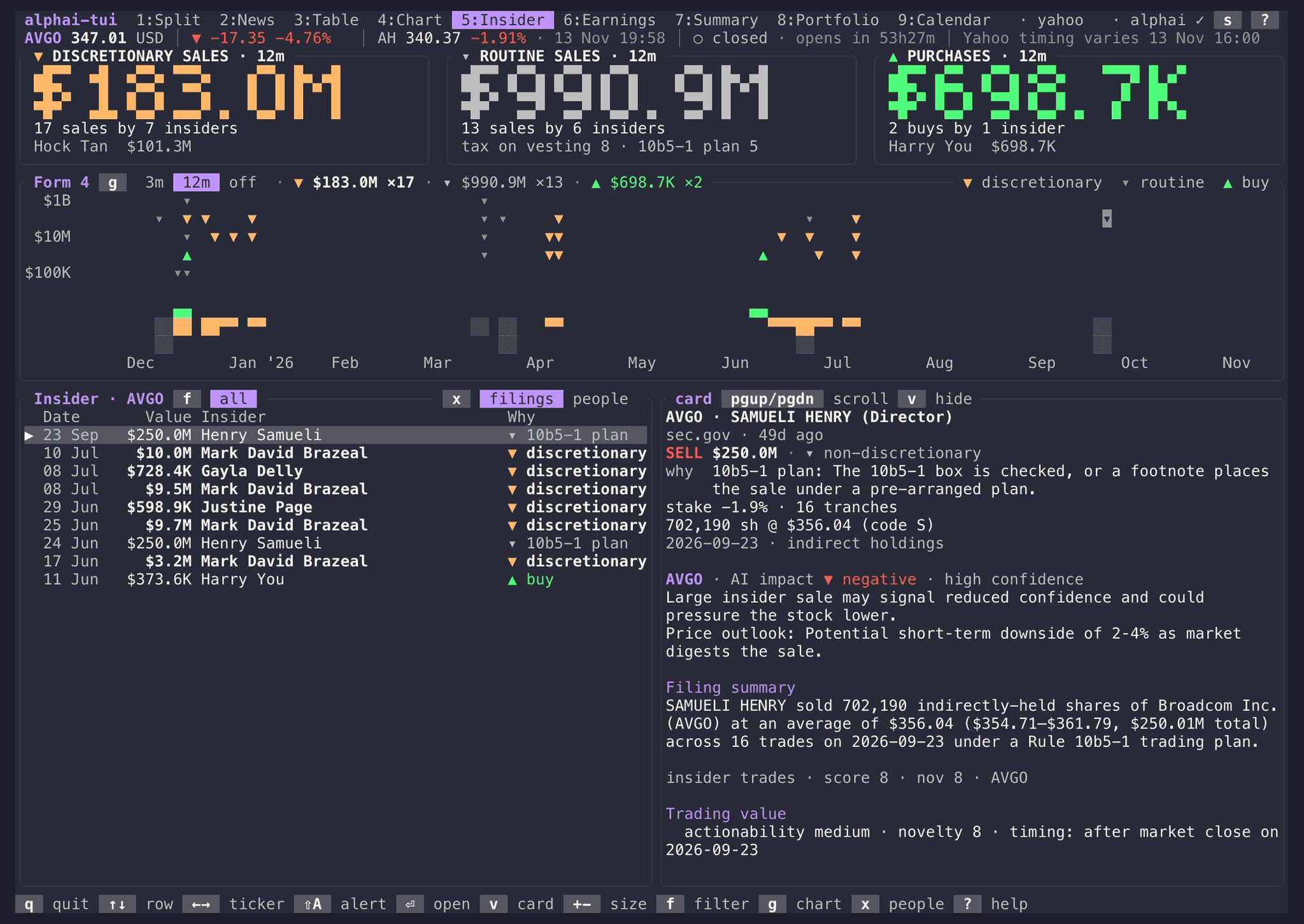
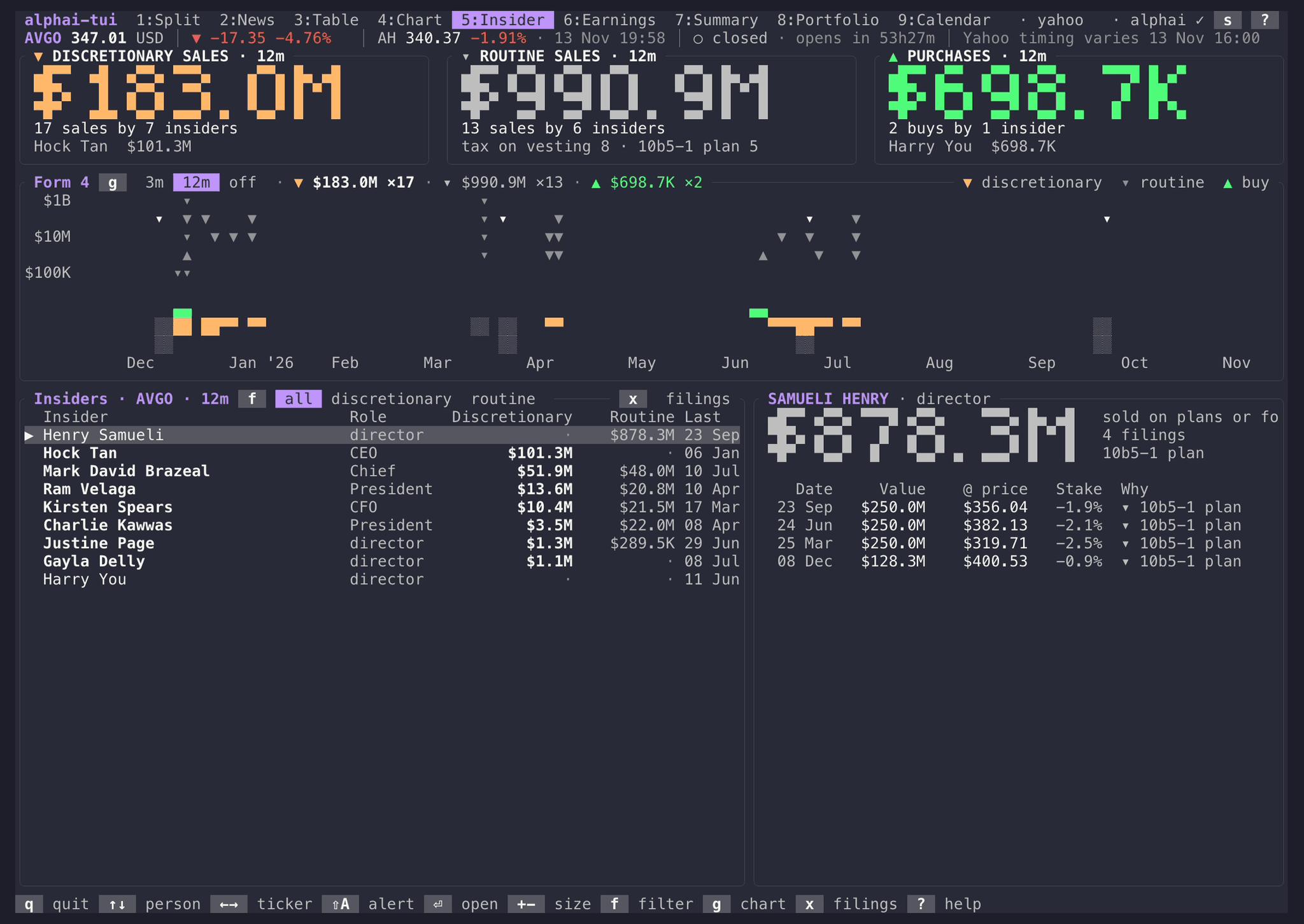
Why insiders sold, not just that they did
SEC Form 4 filings as marks on a log dollar scale, three months or a year of them (g switches), with weekly dollar bars underneath. Every sale carries AlphAI's label, so a tax sale on vesting no longer reads like a decision to get out.
- ▼discretionary: the insider chose to sell
- ▾routine: a 10b5-1 plan or the tax due on vesting, with the reason named
- ?unclear: the filing does not say
- ▲purchase
x switches to people: everyone who traded in the last 12 months, what each chose to sell, sold routinely and bought, with their filings beside the table. f keeps only the discretionary or the routine filings.
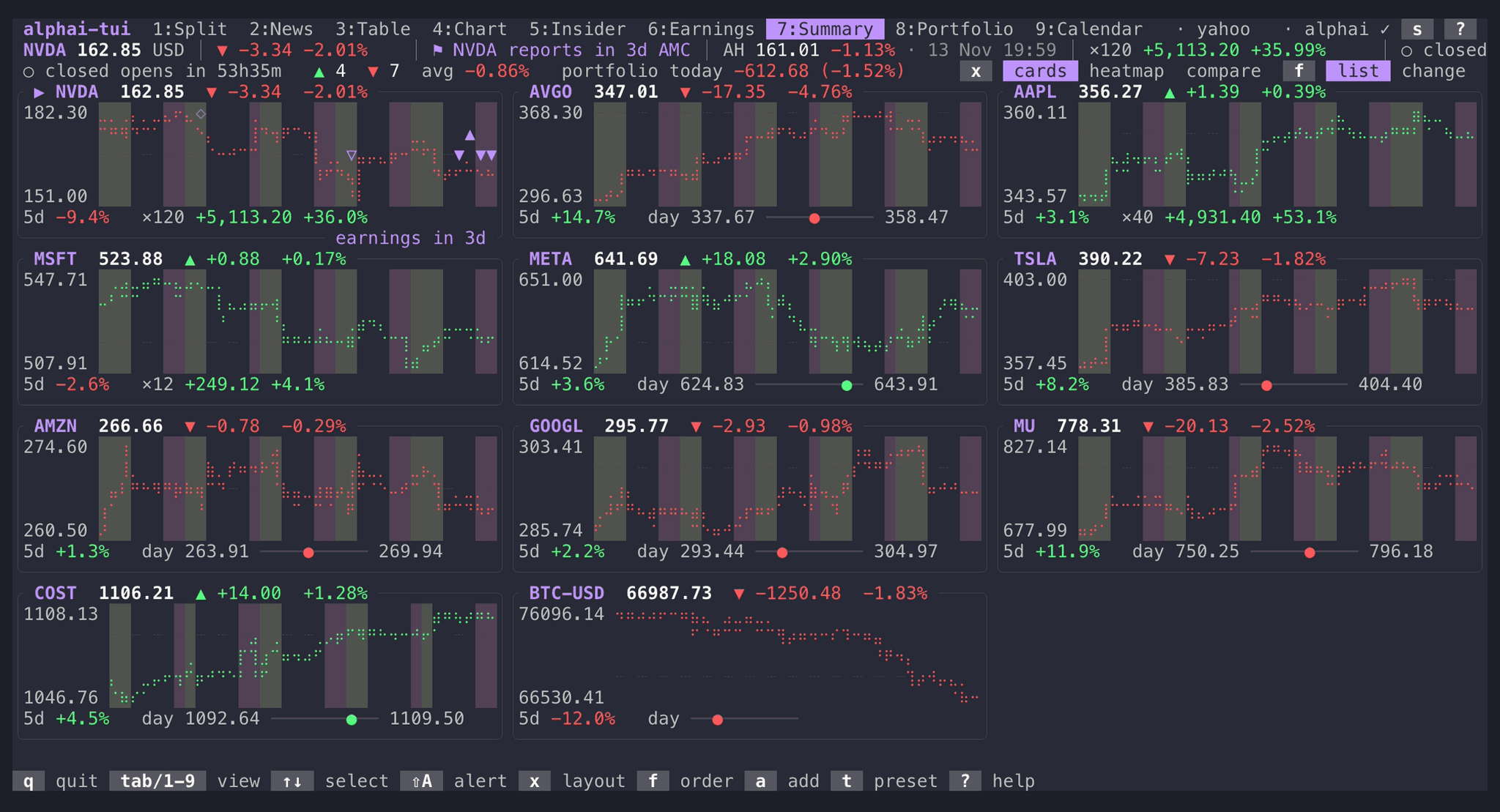
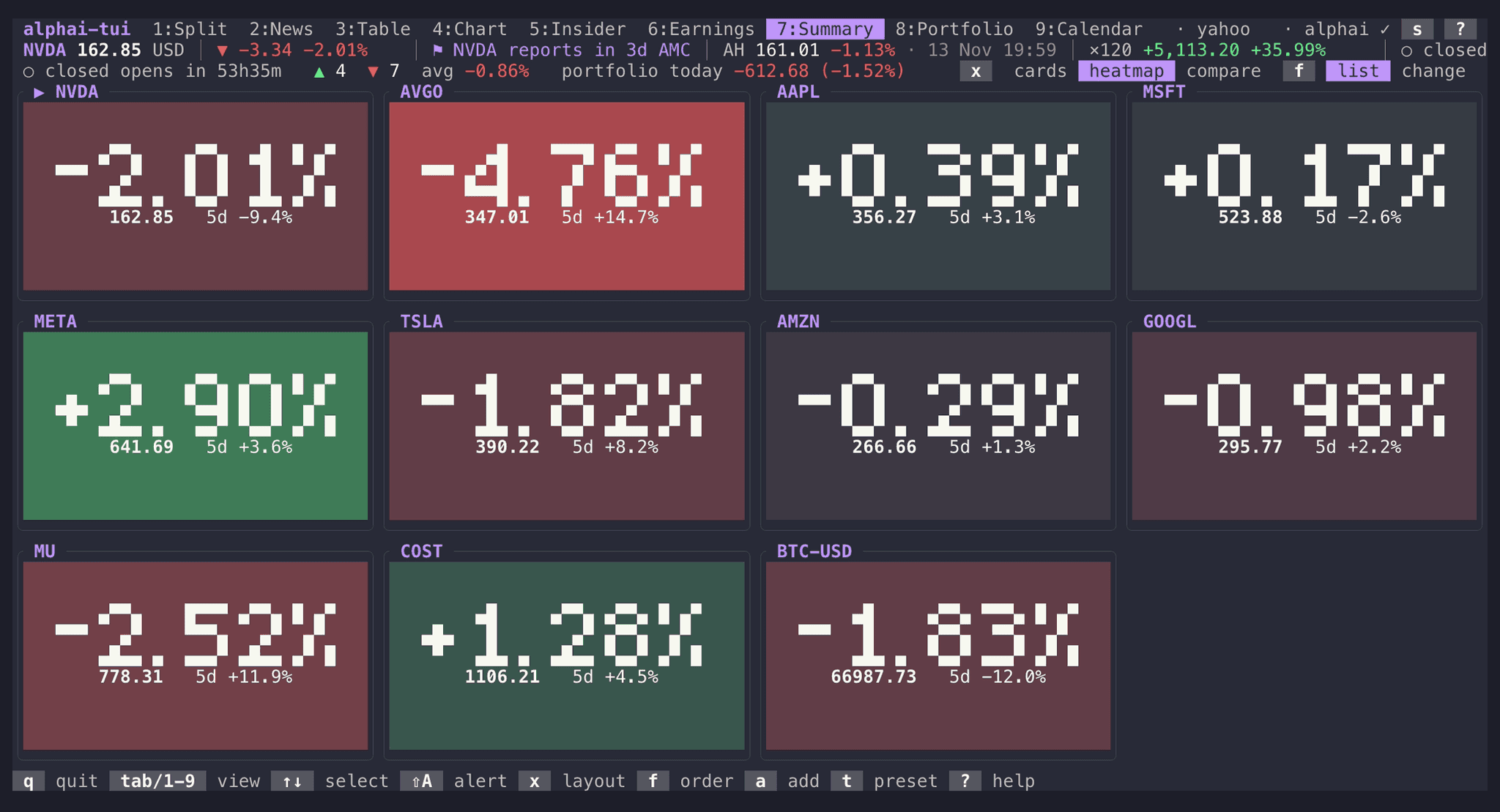
The whole watchlist at a glance
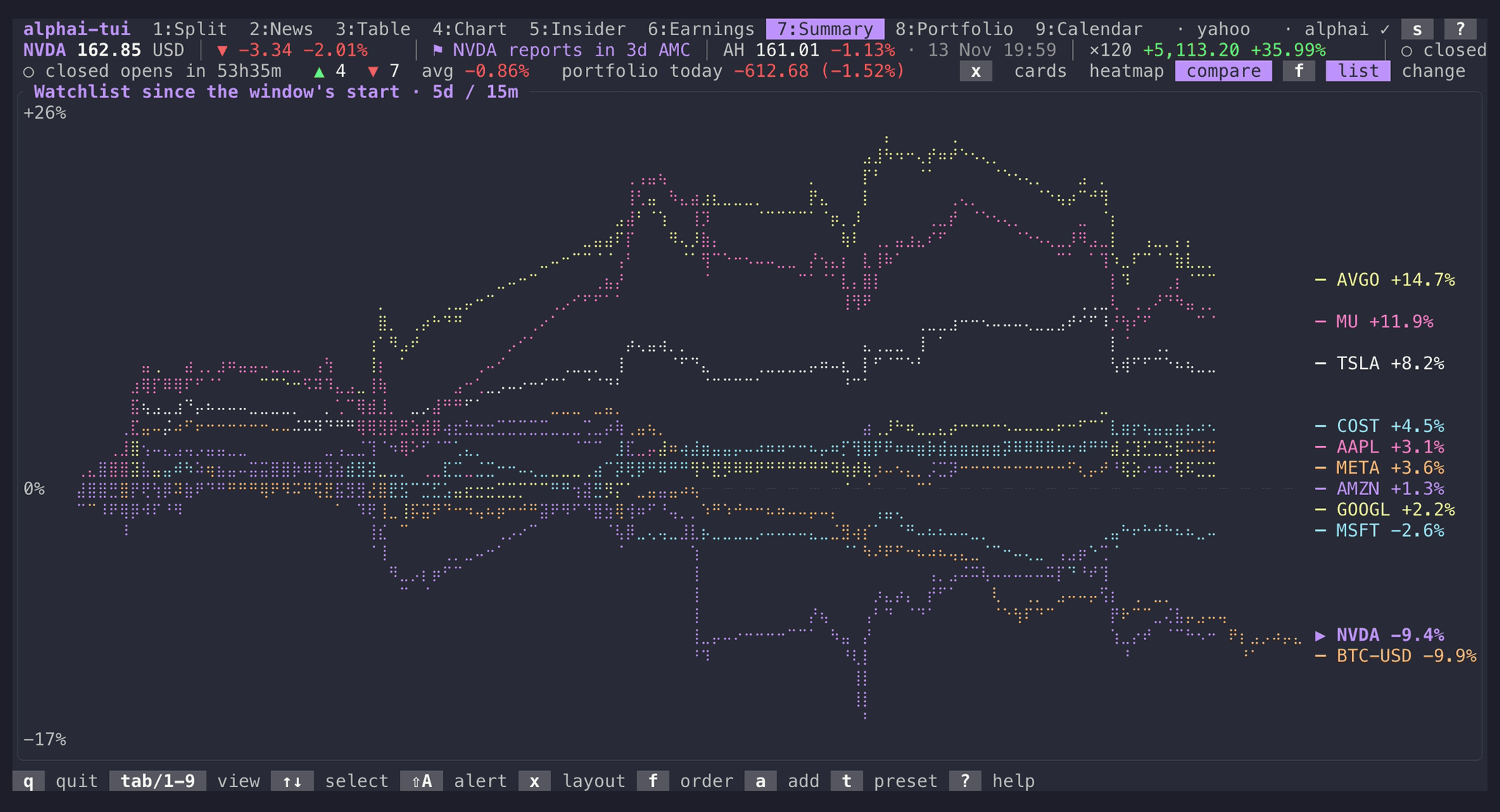
A line over the view sums up the day: the session and its countdown, how many tickers are up and down, your portfolio's day, the next macro release and the reports due this week. Each card draws the ticker's path through the window with the previous close dashed, the extended sessions shaded and a line of facts underneath.
x turns the cards into a heat map of the day's moves or one chart of every ticker in percent. f orders them by the day's move. None of it costs a request.
Reports and macro releases in one agenda
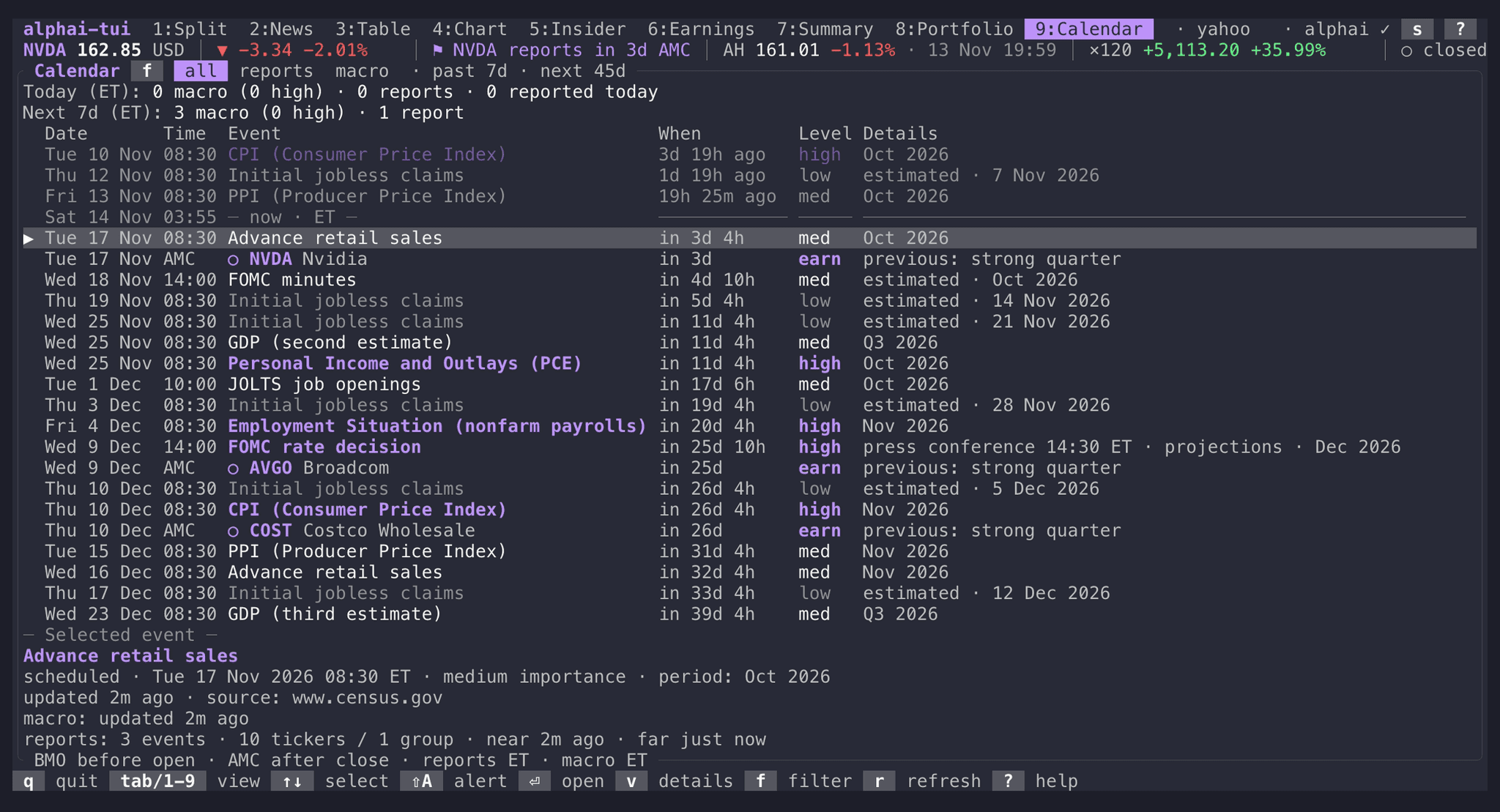
Earnings dates for your watchlist and holdings sit next to US macro releases, with countdowns, the session (before the open or after the close) and how important each release is. Once a company has filed, the row carries the read's verdict and Enter opens it.
f narrows the list to reports or macro. The quote rail flags the selected ticker's next report in every other view.
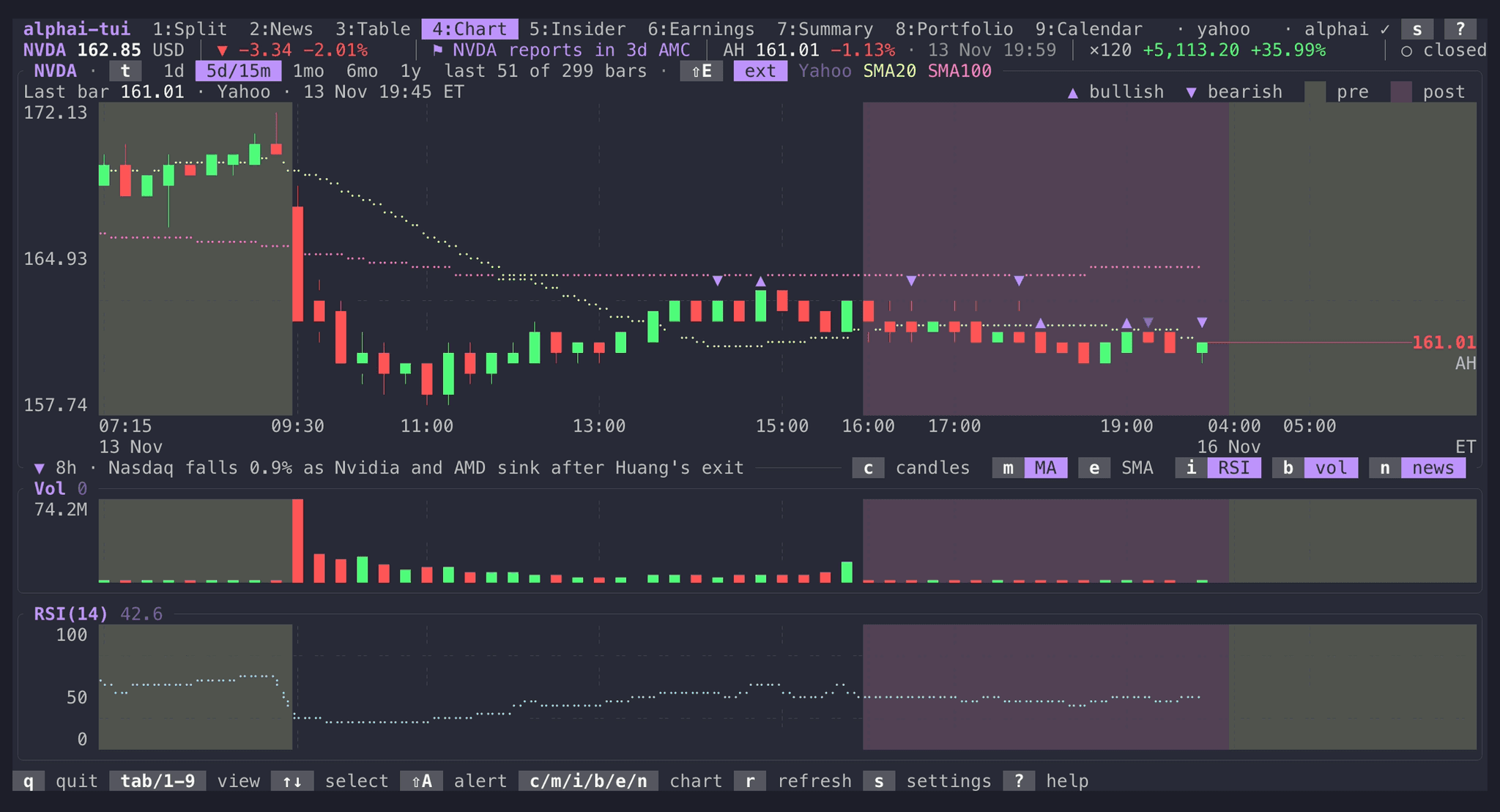
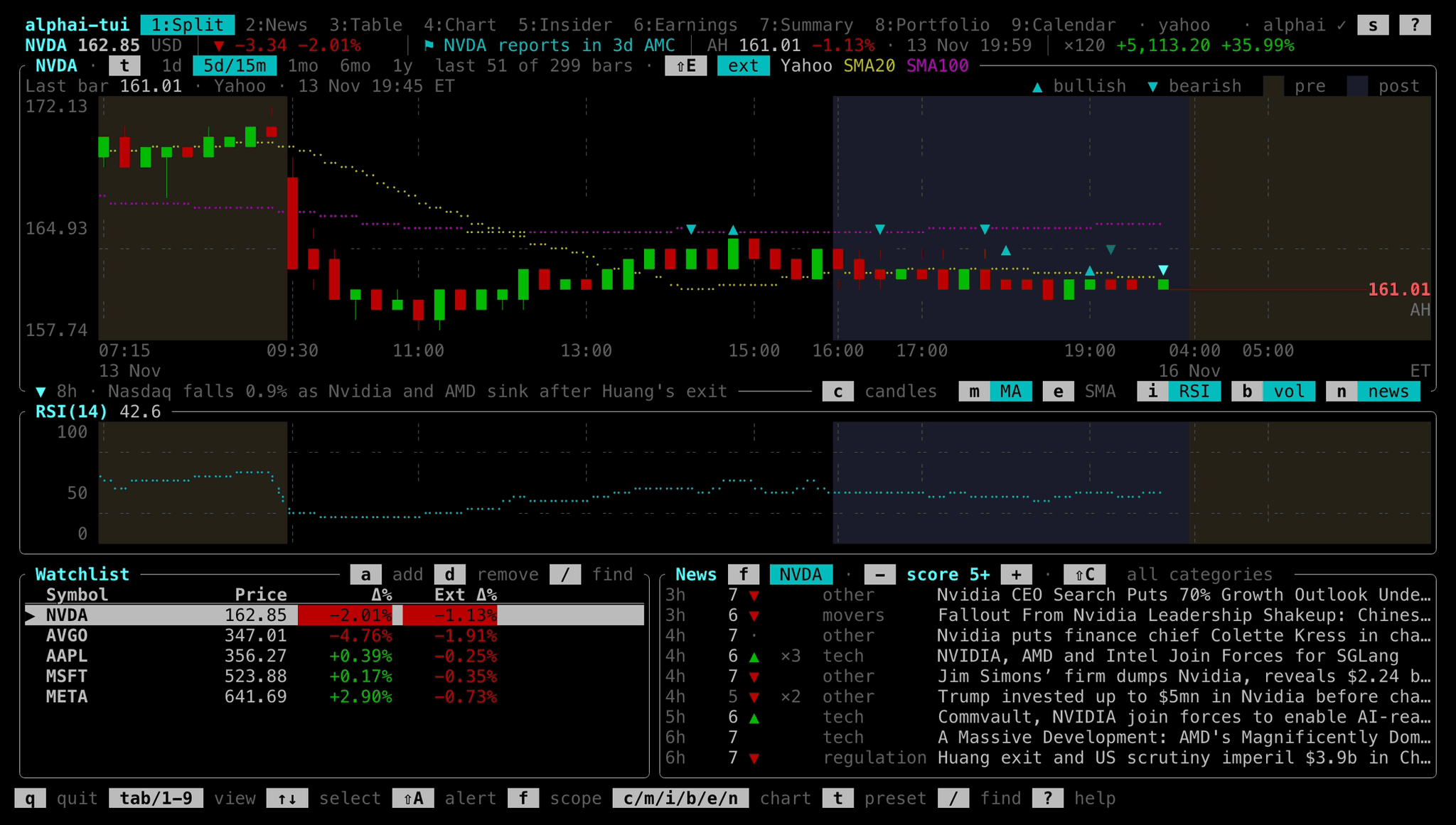
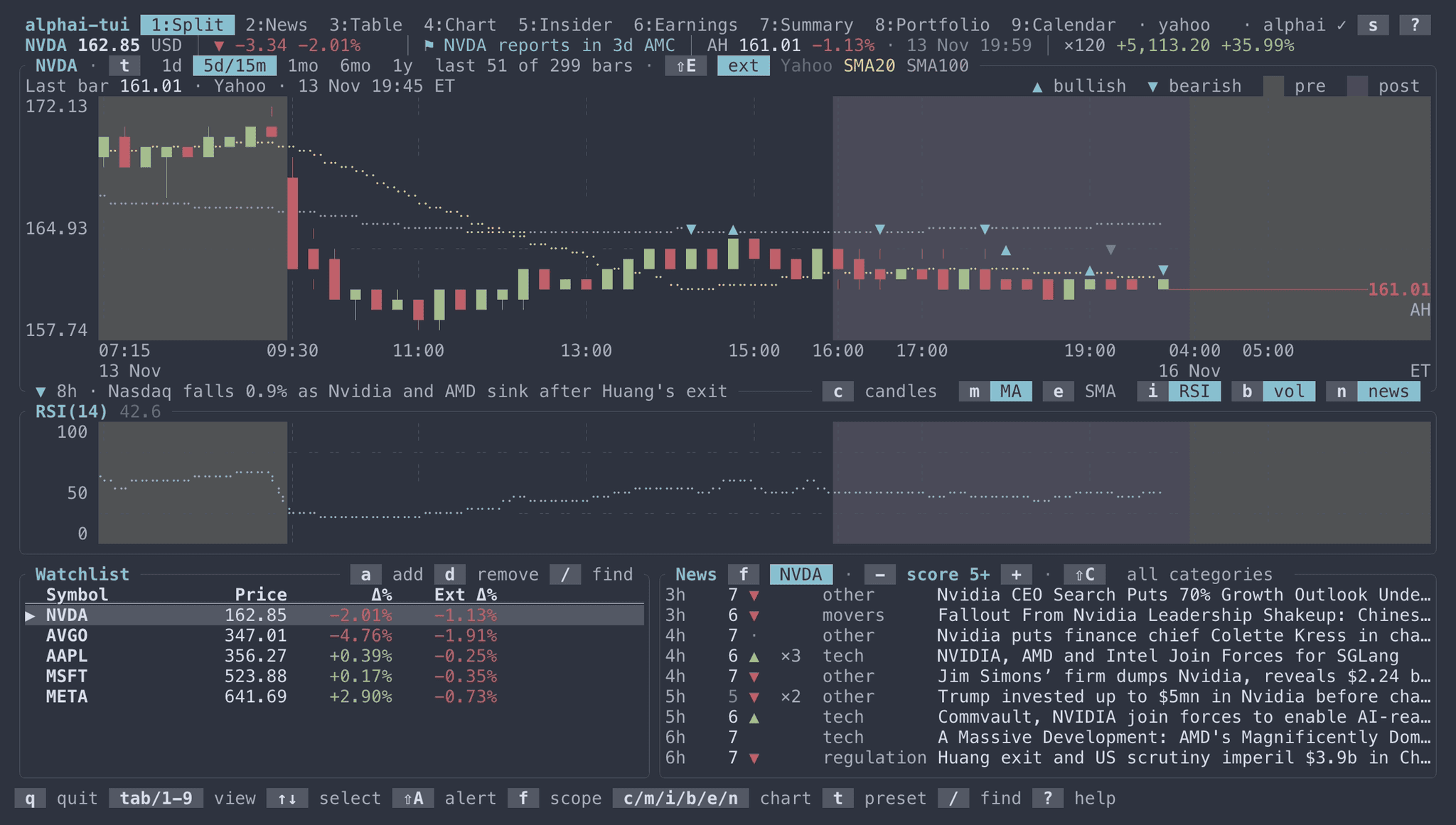
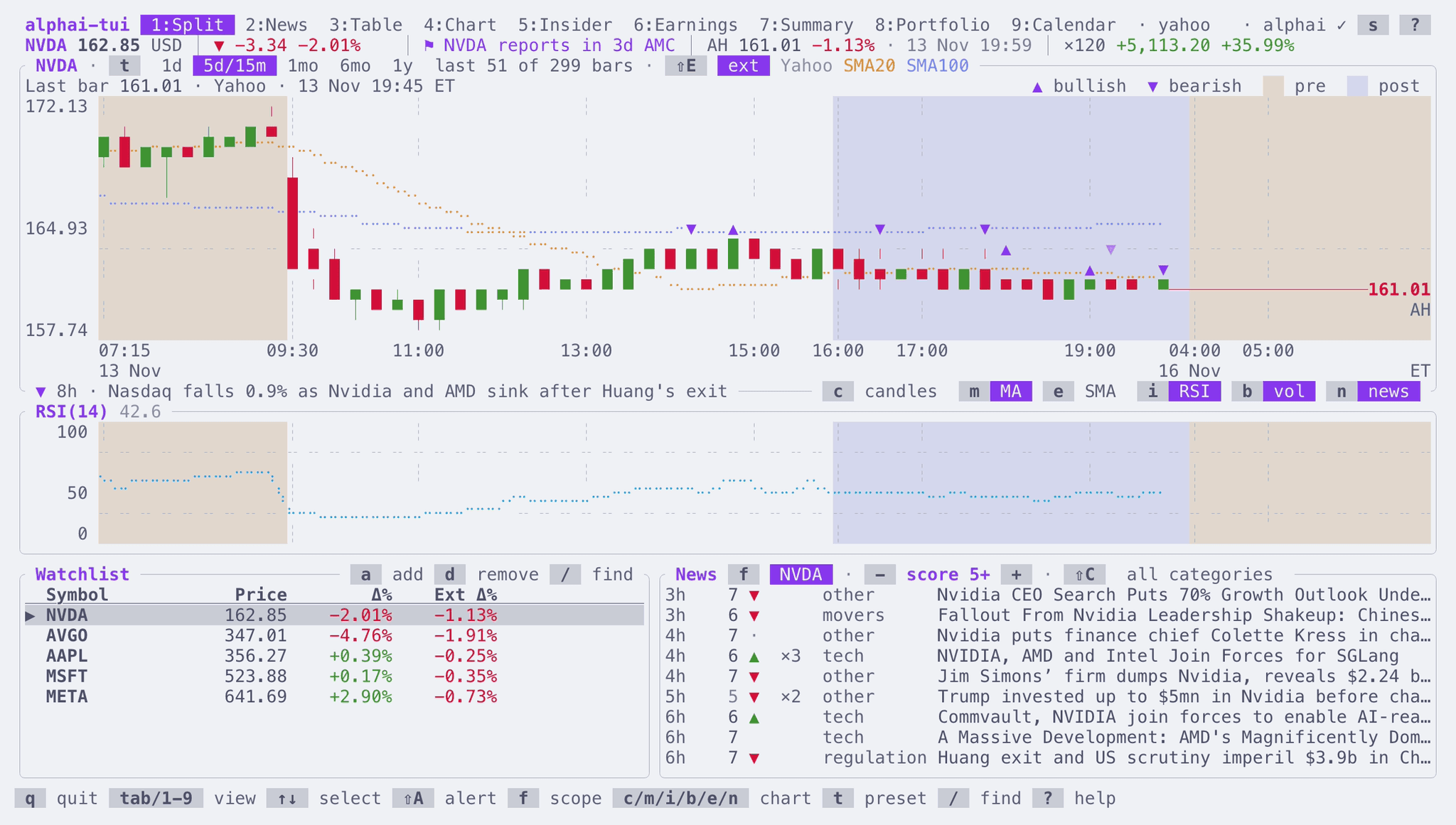
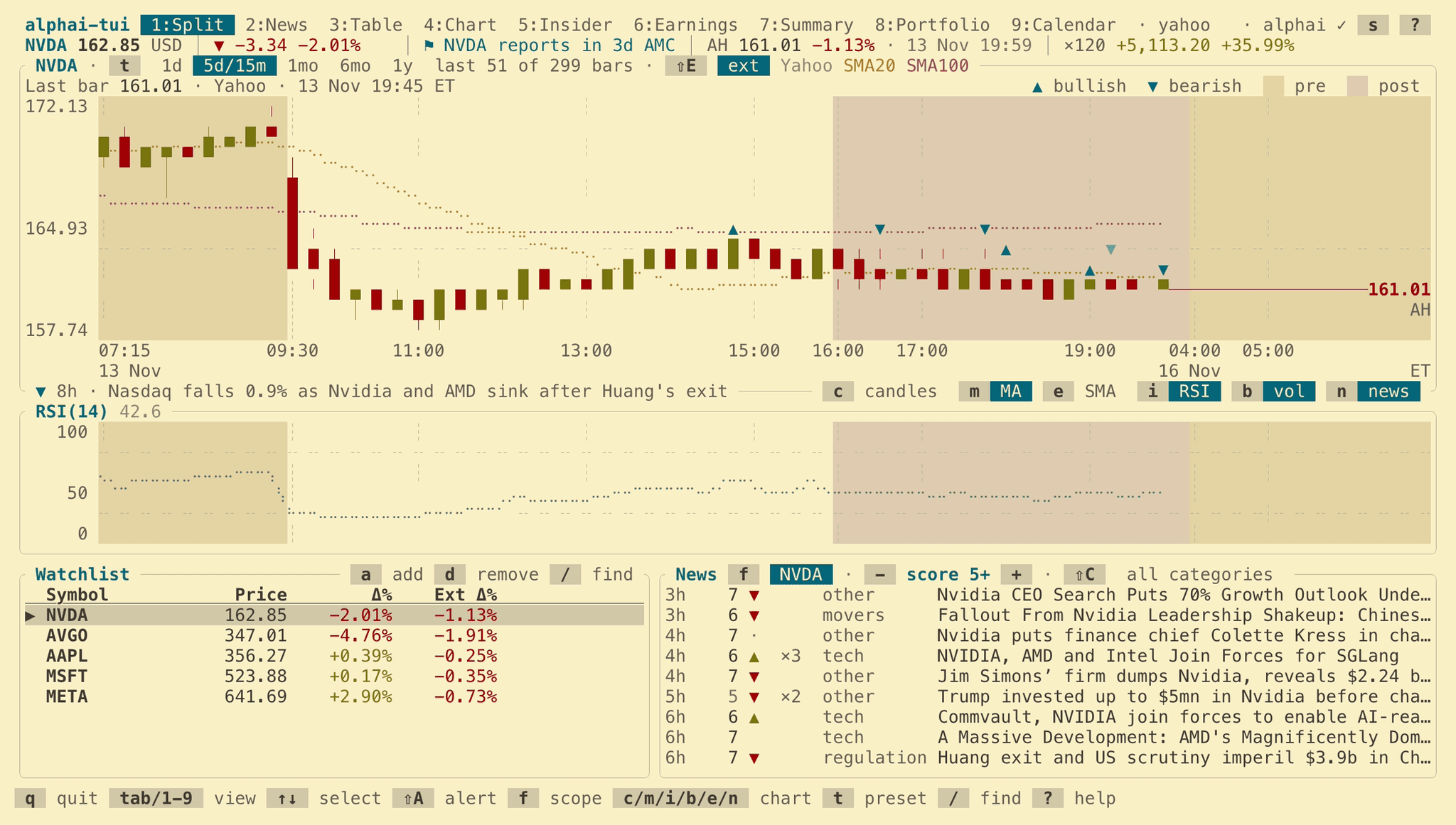
Candles with SMA 20/100, volume and RSI(14). Pre-market and after-hours candles sit on their own shading, news marks land on the candle they came with, and a filing that reports the company’s own event is drawn in outline. The presets behind t run from one day to a year.
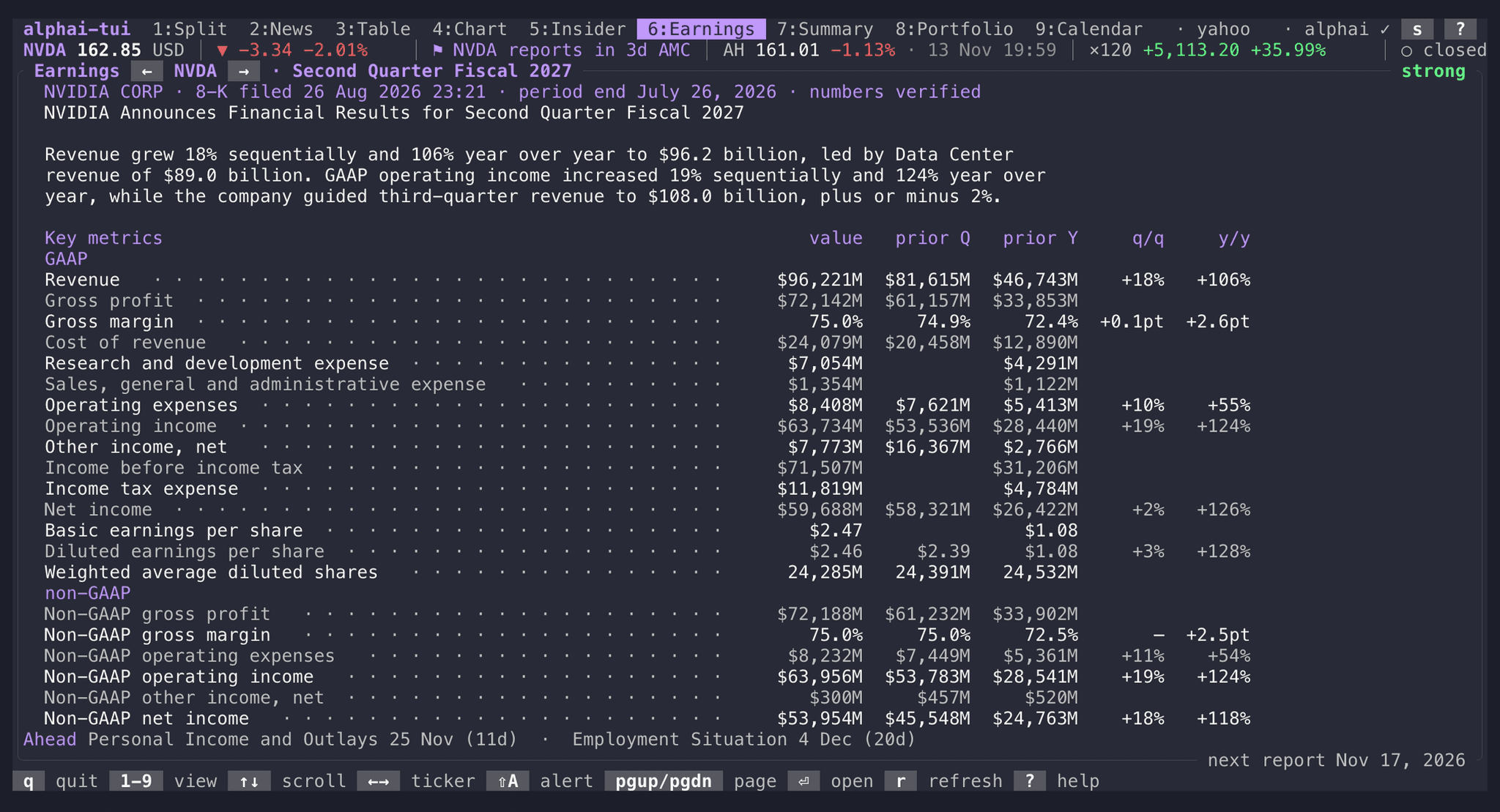
The structured read of the ticker’s own 8-K or 6-K earnings filing: the verdict and why, a metric table against the prior quarter and the prior year, segments, outlook and concerns. Anything else the release announced, such as a buyback or a guidance change, is listed under it.
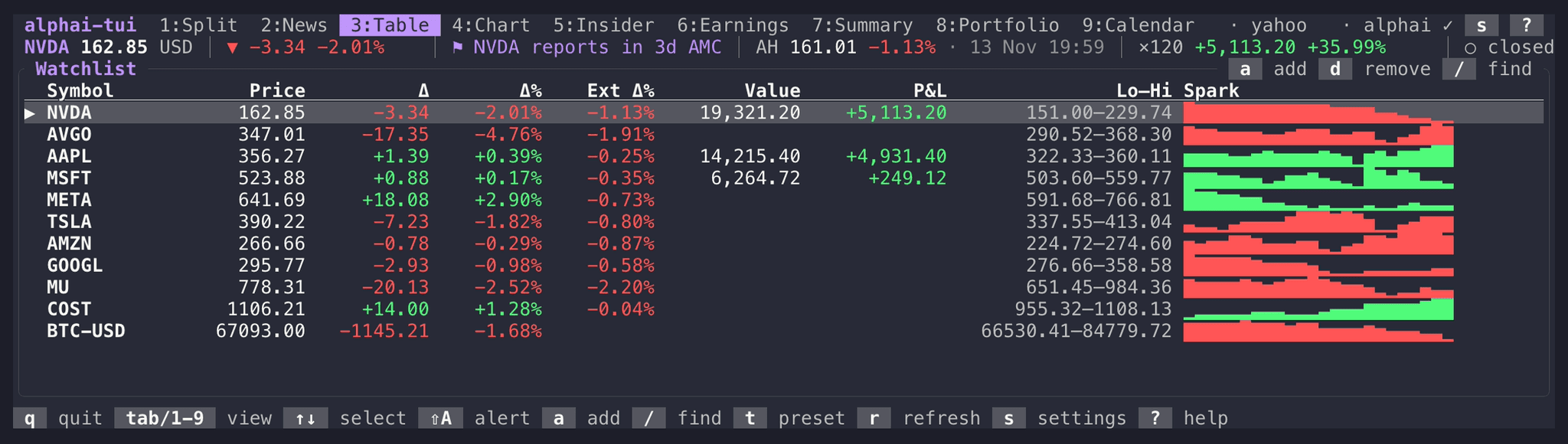
Price, the change in dollars and percent, the extended-hours change, the day’s range and a sparkline of the session. Tickers you hold get their value and profit as two extra columns.
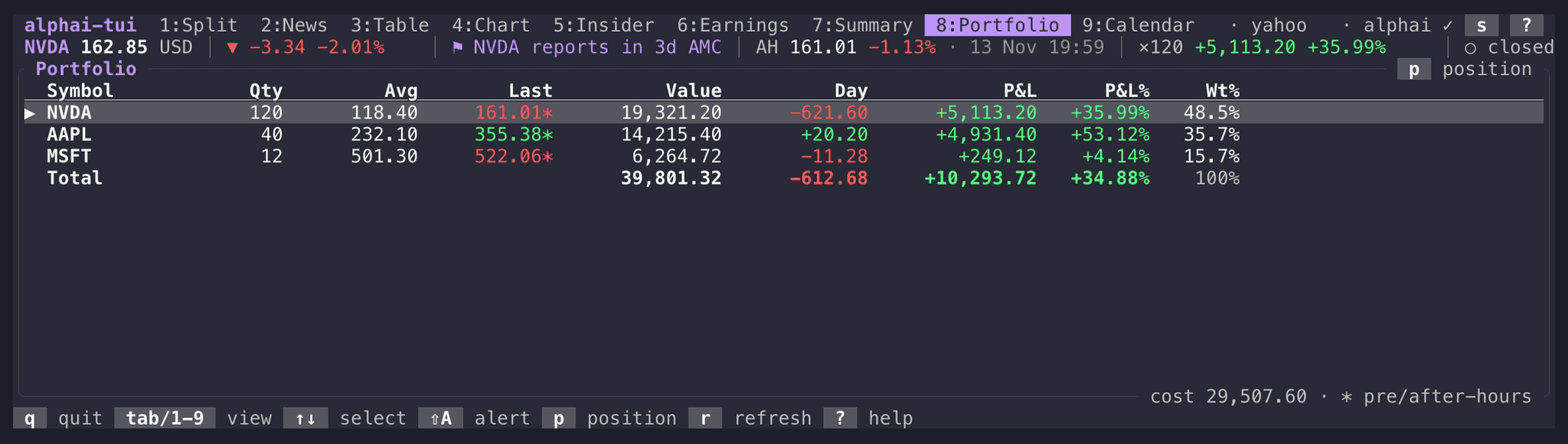
One row per holding with its value, the day’s move in money, profit or loss and its share of the total. Pre-market and after-hours prices count when they are the latest, and p edits a position in place.
In every view
keyboard first, mouse welcome
One line under the tabs carries the selected ticker into every view: the price and the day's move, the after-hours print, what your position made, the next report and how long until the next bell.
Set >= 150 or <= 140 on any ticker for the running session. A crossing shows a banner in whatever view is open and rings the terminal bell once. Alerts ride the quotes already coming in, so they cost no requests.
Type part of a symbol or a company name from any view and jump to it. Searching is local and changes nothing in the watchlist.
Click a tab, a ticker, a row or any key drawn on screen; the wheel scrolls lists and cards. M hands the mouse back to the terminal when you want to select text.
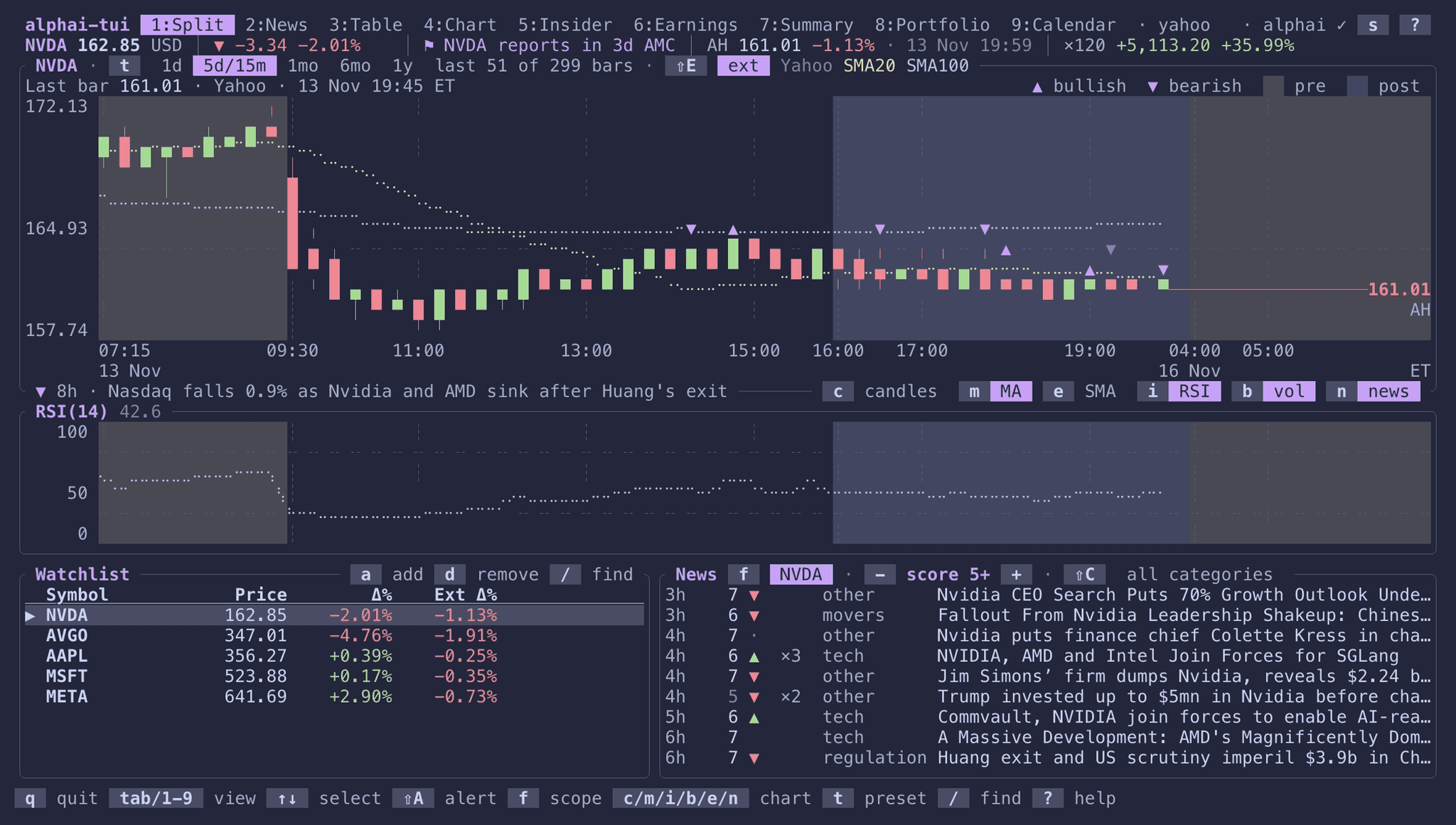
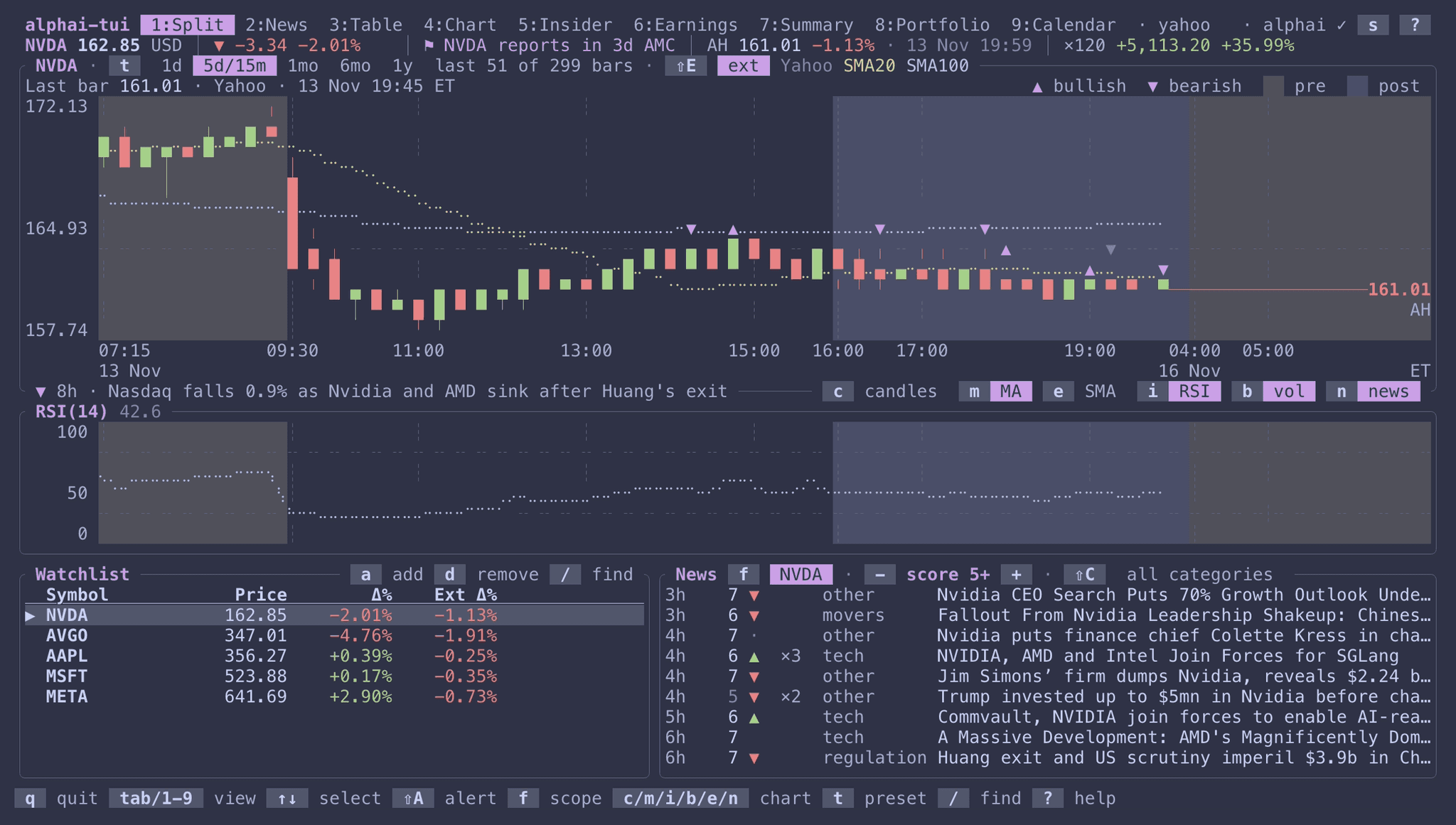
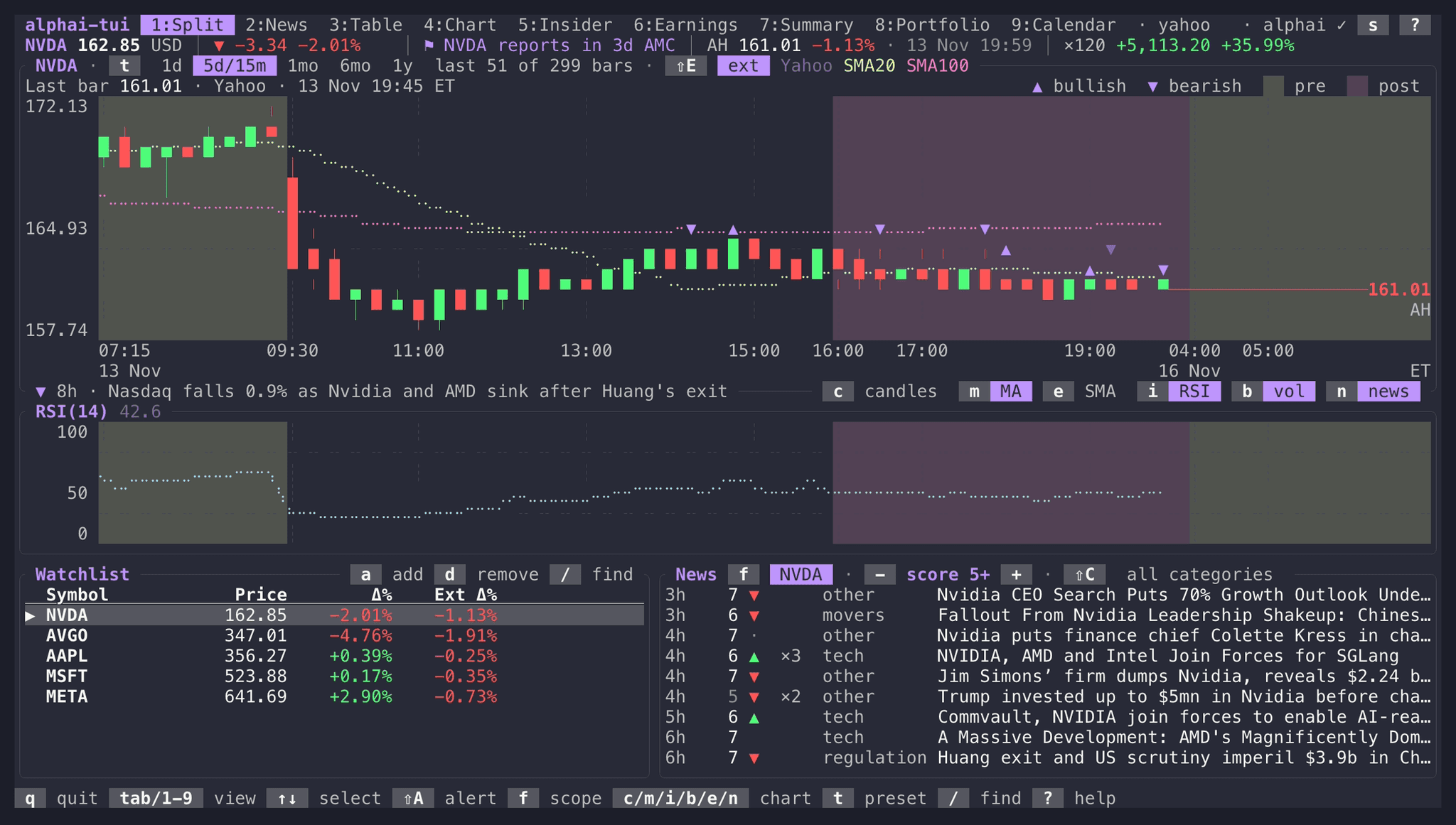
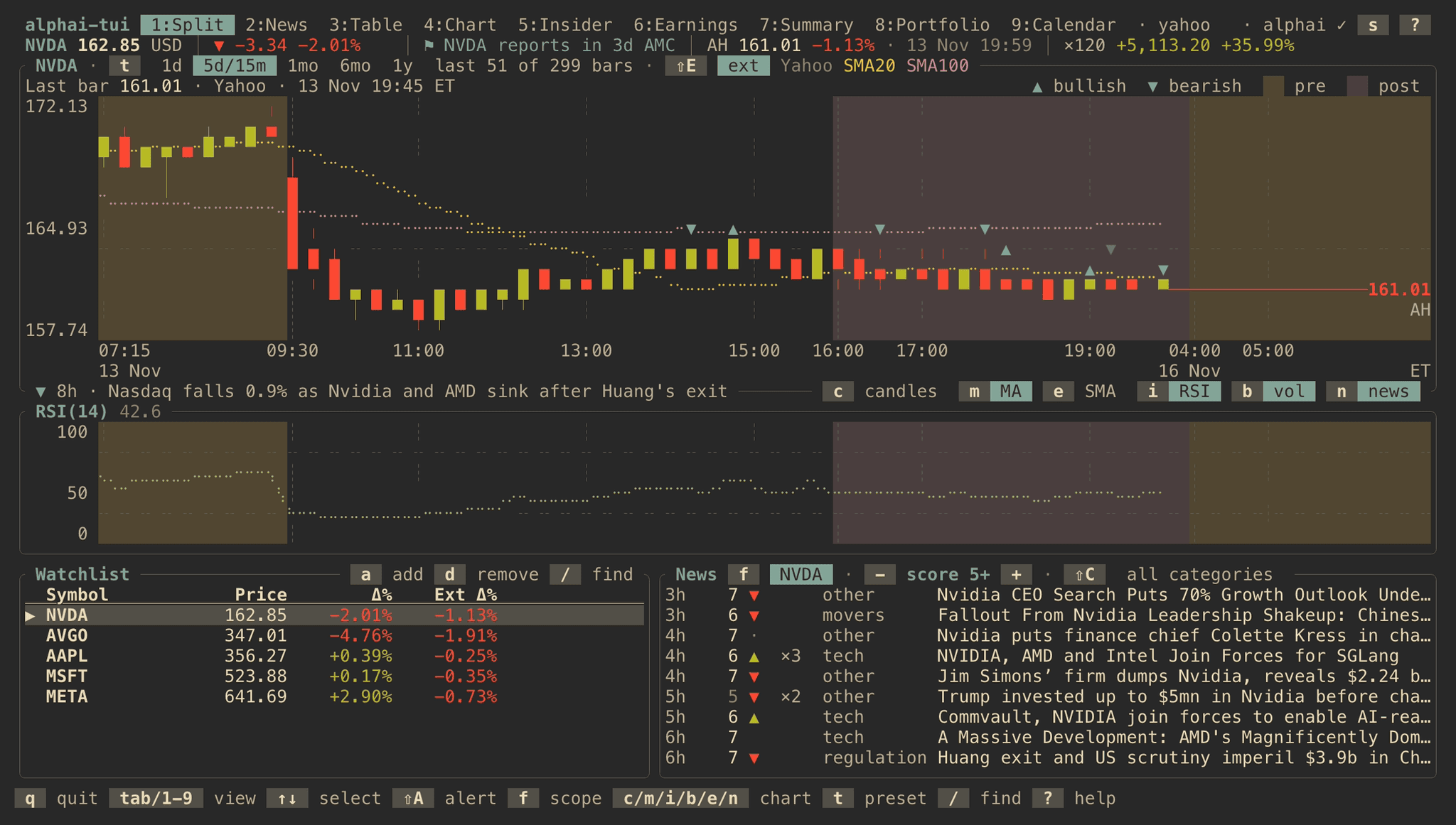
Nine presets, two of them light
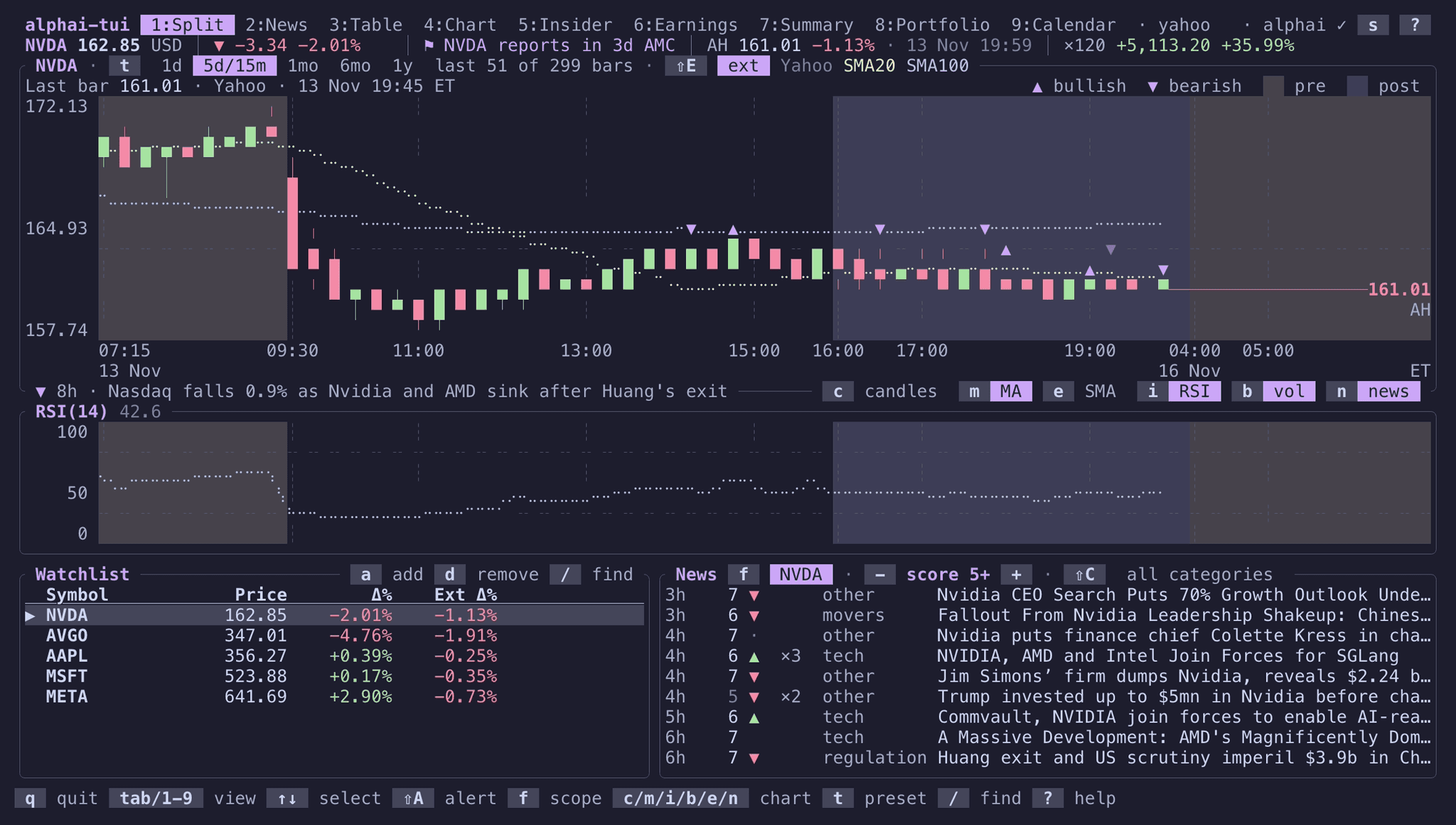
} and { walk the presets live, and Save in the settings screen keeps the one you stop on. Each preset paints its own background and text, so a dark palette stays dark on a light terminal and the other way round. The default preset keeps your terminal's own colors.
Add an AI analyst in the next pane.
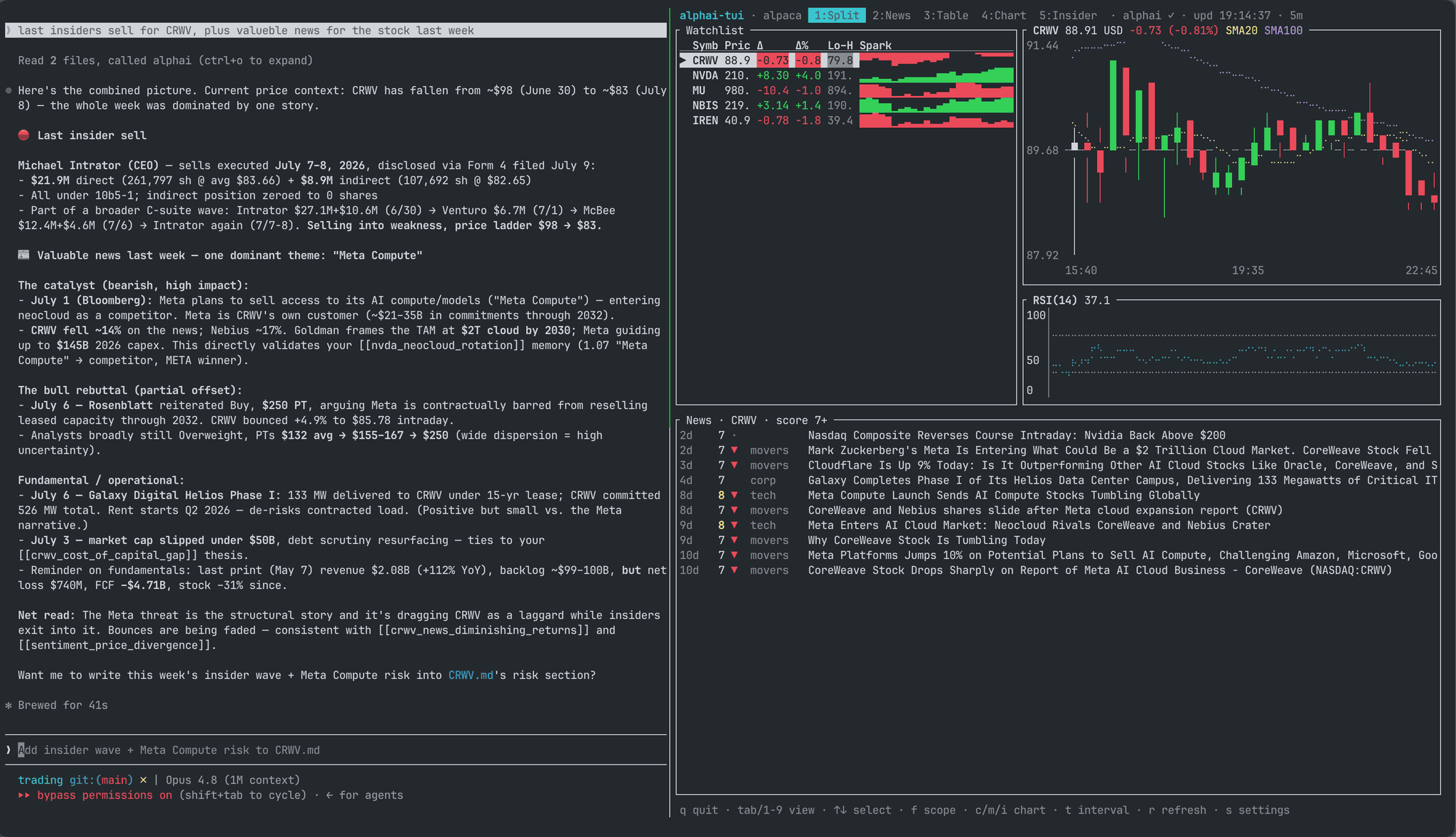
alphai-tui is a single self-contained process, so tmux or any multiplexer turns it into a workspace: one instance per pane, each switched to its own view. Run an agent such as Claude Code alongside and connect it to the AlphAI MCP server, which serves the same news, sentiment and insider data as the dashboard. You watch the tape on one side while the agent digs through whatever the tape surfaces, and get a sourced brief without leaving the terminal.
Free tier, careful budget.
Quotes and charts, no key. Yahoo works out of the box. Finnhub, Alpaca and Tiingo plug in with their own keys for realtime quotes and full history.
News, insider, earnings and calendar, free key. The free AlphAI plan allows 20 requests a minute and 100 a day with no card. The app is careful with that budget: it fetches only what the visible view needs and caches each response for five minutes.
Same API underneath. Everything on screen comes from the public REST API, so what you build against the API matches what the dashboard shows.
Questions
FAQIs alphai-tui free?
Yes. The dashboard is open source under the MIT license, and the code lives on GitHub. Quotes and charts work with no account at all. The news, insider, earnings and calendar views read the AlphAI API and need a free key, no card required.
Do I need an API key?
Not for prices and charts. A free AlphAI key unlocks the scored news feed with its corporate events, SEC Form 4 insider activity, the earnings reads and the report calendar. Paste it once in the settings screen (press s) and it persists in a local config file with owner-only permissions, or export ALPHAI_API_KEY in your shell.
What platforms does it run on?
macOS (Apple Silicon and Intel), Linux (x64 and arm64) and Windows. Install through Homebrew, winget on Windows, apt on Debian 12 and Ubuntu 22.04 or newer, the AUR on Arch Linux, x-cmd, the shell installer, cargo install alphai-tui, or grab a prebuilt binary with checksums from the GitHub releases page.
Where does the data come from?
Prices come from Yahoo by default, with Finnhub, Alpaca and Tiingo as configurable alternatives on your own keys. News, insider and earnings data come from the AlphAI API: over 10,000 articles a day scored 1 to 10 with validated tickers, and SEC Form 4 filings grouped into one event per economic decision, each sale labelled by why it happened.
Put the tape in your terminal.
One install command, one optional free key, and the scored feed runs next to your code all day.